DG-5F-S

5-finger robotic hand, small version with fingertip force/torque sensors. Available in left and right hand variants, with both 20-DOF and 15-DOF configurations.
Note
What is DOF? DOF stands for “Degrees of Freedom” – the number of independently controllable joints. The 20-DOF version has 4 joints per finger (like the DG-5F), while the 15-DOF version has 3 joints per finger.
Specifications
20-DOF Configuration
Parameter |
Value |
|---|---|
Model ID (Left) |
|
Model ID (Right) |
|
Fingers |
5 |
Joints |
20 (4 per finger) |
F/T Sensor |
Yes |
GPIO |
No (not fitted on S variants) |
15-DOF Configuration
Parameter |
Value |
|---|---|
Model ID (Left) |
|
Model ID (Right) |
|
Fingers |
5 |
Joints |
15 (3 per finger) |
F/T Sensor |
Yes |
GPIO |
No (not fitted on S variants) |
Packages
Package |
Description |
|---|---|
|
URDF/xacro model, meshes, and RViz display launch files |
|
ros2_control hardware driver, controller configs, and launch files |
|
Gazebo simulation launch files |
|
MoveIt 2 configuration (SRDF, planners, mock hardware) |
Before You Control: Developer Mode
Important
The ros2_control driver speaks a custom protocol over Ethernet that is only available in Developer Mode. The DG-5F-S uses a DIP switch (near the LED Check Point) rather than the DG-3F/DG-5F button panel: set ② Developer Mode before launching a hardware driver. See the dg5f_s_driver README for the switch/LED panel image and LED indications.
Launch Files
20-DOF Driver Launch Files
Launch File |
Controller Type |
Description |
|---|---|---|
|
Joint Trajectory Controller |
Right hand with JTC |
|
Joint Trajectory Controller |
Left hand with JTC |
|
JointGroupEffortController |
Right hand with direct effort control |
|
JointGroupEffortController |
Left hand with direct effort control |
|
PidController (per joint) |
Individual PID controllers, one per joint ( |
|
PidController (grouped) |
Single PID controller for all joints ( |
15-DOF Driver Launch Files
Launch File |
Controller Type |
Description |
|---|---|---|
|
Joint Trajectory Controller |
Right hand 15-DOF with JTC |
|
Joint Trajectory Controller |
Left hand 15-DOF with JTC |
|
JointGroupEffortController |
Right hand 15-DOF with effort control |
|
JointGroupEffortController |
Left hand 15-DOF with effort control |
|
PidController (per joint) |
Individual PID controllers, one per joint ( |
|
PidController (grouped) |
Single PID controller for all joints ( |
Visualization and Simulation
Launch File |
Package |
Description |
|---|---|---|
|
|
RViz visualization (right, 20-DOF) |
|
|
RViz visualization (left, 20-DOF) |
|
|
RViz visualization (right, 15-DOF) |
|
|
RViz visualization (left, 15-DOF) |
|
|
Gazebo simulation (right, 20-DOF) |
|
|
Gazebo simulation (left, 20-DOF) |
|
|
Gazebo simulation (right, 15-DOF) |
|
|
Gazebo simulation (left, 15-DOF) |
Launch Arguments
All driver launch files accept these arguments:
Argument |
Default |
Description |
|---|---|---|
|
|
IP address of the gripper |
|
|
TCP port of the gripper |
|
|
Enable reading F/T sensor data from the hardware |
|
|
Enable broadcasting F/T data as ROS 2 topics |
|
|
Not supported on DG-5F-S – see the note below |
Warning
The DG-5F-S variants have no GPIO hardware. Passing io:=true has no effect –
the driver logs a warning, exposes no gpio state interfaces and creates no
GPIO services.
Example:
ros2 launch dg5f_s_driver dg5f_s_right_driver.launch.py delto_ip:=192.168.1.100 fingertip_sensor:=true ft_broadcaster:=true
Controller Types
Joint Trajectory Controller (JTC) – Default
20-DOF Right Hand:
ros2 launch dg5f_s_driver dg5f_s_right_driver.launch.py
15-DOF Right Hand:
ros2 launch dg5f_s_driver dg5f_s_15dof_right_driver.launch.py
Send a position command (20-DOF example, namespace dg5f_s_right):
ros2 action send_goal /dg5f_s_right/dg5f_s_right_controller/follow_joint_trajectory control_msgs/action/FollowJointTrajectory "{
  trajectory: {
    joint_names: [rj_dg_1_1, rj_dg_1_2, rj_dg_1_3, rj_dg_1_4],
    points: [
      {positions: [0.5, 0.5, 0.5, 0.5], time_from_start: {sec: 2, nanosec: 0}}
    ]
  }
}"
Effort Controller (Direct Current)
20-DOF Right Hand:
ros2 launch dg5f_s_driver dg5f_s_right_effort_controller.launch.py
Send effort commands (20 values for 20-DOF, 15 values for 15-DOF):
ros2 topic pub /dg5f_s_right/effort_controller/commands std_msgs/msg/Float64MultiArray "{data: [0.0, 0.0, 0.0, 0.0, 0.0, 0.0, 0.0, 0.0, 0.0, 0.0, 0.0, 0.0, 0.0, 0.0, 0.0, 0.0, 0.0, 0.0, 0.0, 0.0]}" --once
MoveIt Integration
The dg5f_s_moveit_config package provides MoveIt 2 motion planning for the DG-5F-S. It includes mock hardware support via mock_components/GenericSystem, so you can test motion planning without a physical gripper.
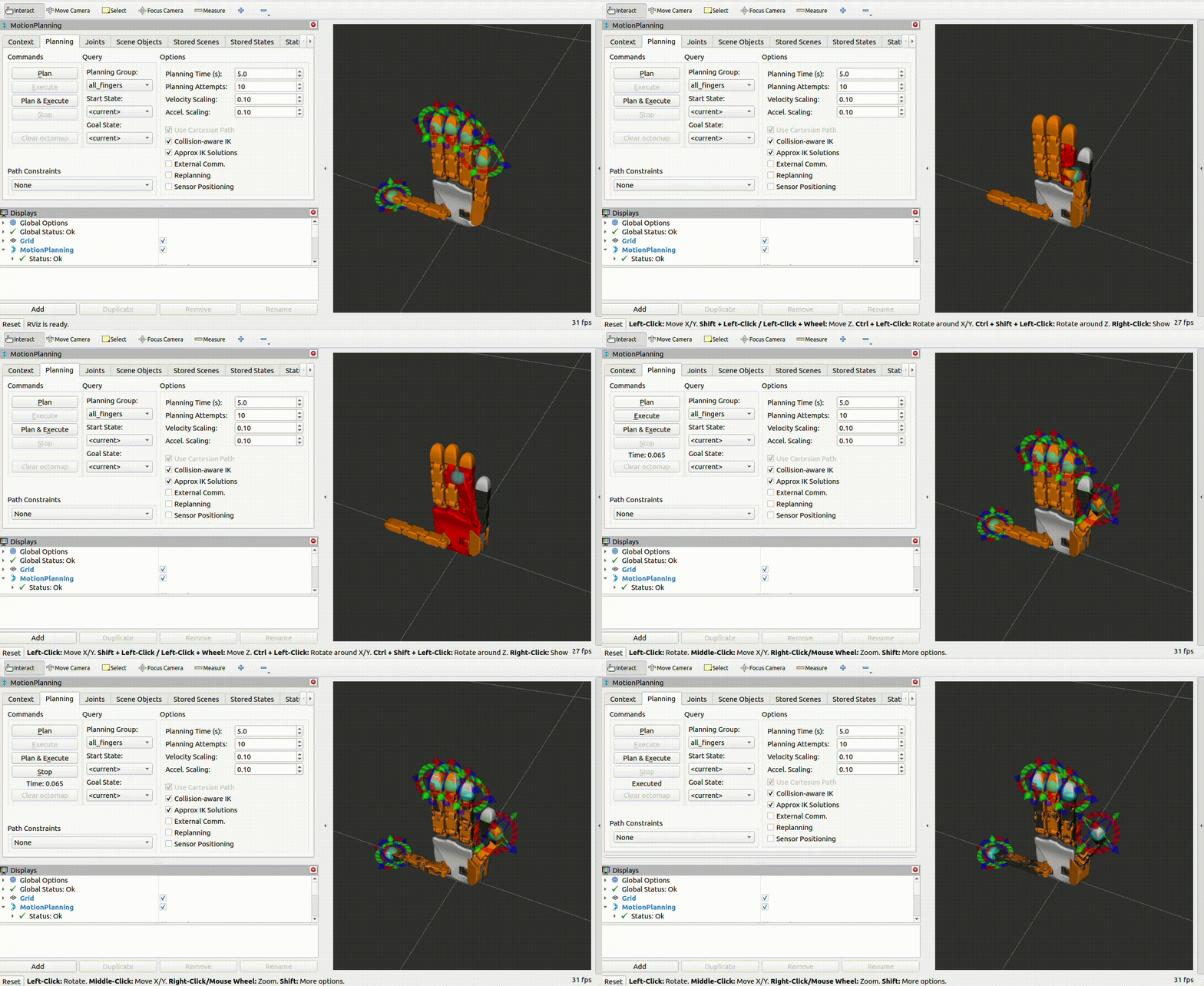
MoveIt Launch Files
Launch File |
Package |
Description |
|---|---|---|
|
|
Right 20-DOF MoveIt |
|
|
Left 20-DOF MoveIt |
|
|
Right 15-DOF MoveIt |
|
|
Left 15-DOF MoveIt |
Mock Hardware (No Device Required)
# 20-DOF right hand with mock hardware
ros2 launch dg5f_s_moveit_config dg5f_s_right_moveit.launch.py use_mock:=true

# 15-DOF left hand with mock hardware
ros2 launch dg5f_s_moveit_config dg5f_s_15dof_left_moveit.launch.py use_mock:=true
Standalone mock driver (without MoveIt):
ros2 launch dg5f_s_driver dg5f_s_right_mock.launch.py
Real Hardware with MoveIt
ros2 launch dg5f_s_moveit_config dg5f_s_right_moveit.launch.py use_mock:=false delto_ip:=169.254.186.72
MoveIt Launch Arguments
Argument |
Default |
Description |
|---|---|---|
|
|
Use mock hardware ( |
|
|
Gripper IP (real hardware only) |
|
|
Gripper port (real hardware only) |
Planning Groups
Each finger is a chain from link_base to link_X_tip:
Group |
Joints (20-DOF) |
Joints (15-DOF) |
|---|---|---|
|
|
|
|
|
|
|
|
|
|
|
|
|
|
|
|
All 20 joints |
All 15 joints |
F/T Sensor Setup
The DG-5F-S has 5 fingertip F/T sensors. Enable them with both flags:
ros2 launch dg5f_s_driver dg5f_s_right_driver.launch.py fingertip_sensor:=true ft_broadcaster:=true
Check the F/T topics:
ros2 topic list | grep fingertip
/dg5f_s_right/fingertip_1_broadcaster/wrench
/dg5f_s_right/fingertip_2_broadcaster/wrench
/dg5f_s_right/fingertip_3_broadcaster/wrench
/dg5f_s_right/fingertip_4_broadcaster/wrench
/dg5f_s_right/fingertip_5_broadcaster/wrench
Calibrate the sensors:
ros2 service call /dg5f_s_right/delto_hardware_interface_node/set_ft_sensor_offset std_srvs/srv/Trigger
Topics Published
Namespace varies by variant: /dg5f_s_right/, /dg5f_s_left/
Topic |
Type |
Description |
|---|---|---|
|
|
Position, velocity, and effort for all joints |
|
|
URDF robot description |
|
|
F/T sensor data for finger N (if enabled) |
Services
Replace <ns> with your gripper’s namespace (e.g., dg5f_s_right, dg5f_s_left).
/<ns>/delto_hardware_interface_node/set_ft_sensor_offsetType:
std_srvs/srv/TriggerZero-calibrate all fingertip F/T sensors. Call when nothing is touching the fingertips.
Note
The set_gpio_output1 / 2 / 3 services documented for the other models are
not created on DG-5F-S, which has no GPIO hardware.
Verifying the Connection
# Check hardware interfaces
ros2 control list_hardware_interfaces

# Check active controllers
ros2 control list_controllers

# Read joint states (adjust namespace for your variant)
ros2 topic echo /dg5f_s_right/joint_states --once
Note
DG-5F-S motor direction is always standard (no firmware version dependency). No special configuration is needed regardless of your firmware version.